
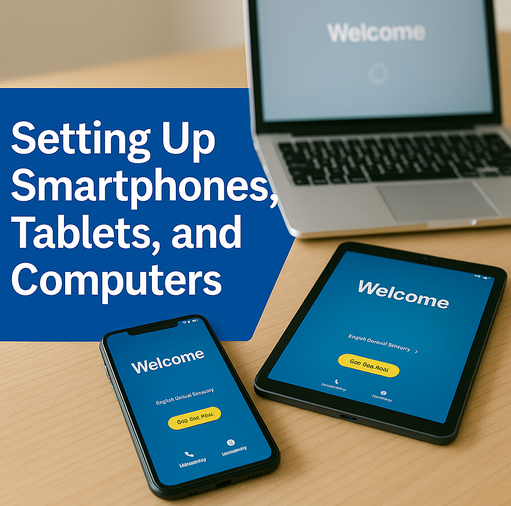
Tablets and iPads have opened up a world of possibilities for older Australians. From video calling family to browsing the internet, reading the news, watching movies, and enjoying games — these devices can be fantastic tools.
But for many seniors, getting started (or staying confident) with a tablet isn’t always easy.
Small icons, confusing settings, forgotten passwords, or unexpected pop-ups can quickly turn a helpful device into a stressful one. The good news is that with the right guidance, tablets become simple, enjoyable, and incredibly useful — no tech knowledge required.
Why Tablets Are Great for Seniors
Tablets and iPads are lightweight, intuitive, and perfect for everyday use. With larger screens than mobile phones and simpler controls than a computer, they offer the ideal middle ground for many older adults.
But like any device, tablets work best when they’re set up properly and when users receive patient, step-by-step support.
Common Challenges Seniors Face with Tablets
Many older adults run into the same frustrations:
- The tablet won’t connect to Wi-Fi
- Apps are missing or won’t open
- The screen freezes unexpectedly
- Passwords stop working
- Icons change after updates
- Important features are hidden or hard to find
These issues are completely normal — and completely fixable with the right help.
How the Right Support Makes a Difference
A little assistance can transform how comfortable and confident a senior feels using their tablet. Whether it’s learning how to video call the grandkids, download photos, or simply navigate the home screen, patience and clear guidance go a long way.
With proper setup and a personalised lesson, many seniors discover they love using their tablet once the confusion is gone.How Senior Tech Assist Can Help
We provide friendly, in-home tablet and iPad support for seniors across the Sunshine Coast.
Here’s what we can assist with:
- iPad setup for elderly users — ready-to-use configuration made simple
- Tablet lessons for older adults — guidance for using Android or Apple tablets
- Easy, senior-friendly tablet coaching — clear, step-by-step instructions
- Help connecting tablets to WiFi — get online without frustration
- App installation assistance — Facebook, WhatsApp, Zoom, and everyday apps
- Troubleshooting for tablets — unfreeze screens, fix settings, and solve common problems
- Transfer data from an old to a new tablet — move photos, contacts, and files effortlessly
With patient support and clear guidance, tablets become simple, useful, and enjoyable tools for everyday life.
Want help with your tablet or iPad?
Book a friendly in-home session today and enjoy technology with confidence.
📞 0435 4104354158735 873
🌐 SeniorTechAssist.com.au

I started this service after seeing how many older Australians struggle with technology — not because they can’t learn it, but because no one takes the time to explain it properly. With more than 20 years’ experience in digital technology and online training, I wanted to create something patient, local, and genuinely helpful.