
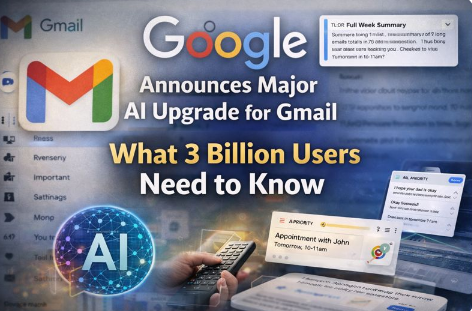
Google has just announced one of the biggest updates to Gmail in more than 20 years, bringing powerful artificial intelligence (AI) tools to the world’s most popular email service.
This change is expected to affect around 3 billion Gmail users worldwide, helping people manage their email more efficiently and write messages with less effort.
What’s New in Gmail
Google is integrating its advanced AI technology — known as Gemini — directly into Gmail, introducing several new features designed to make your inbox smarter and easier to manage.
🌟 AI Overviews
Have you ever been stuck in a long email chain and didn’t know where to start?
AI Overviews automatically summarise lengthy email threads into key points, so you can understand the gist without reading every message.
✍️ Help Me Write + Suggested Replies
Writing emails can be time-consuming — especially when you’re trying to get the tone and wording just right.
Google’s new Help Me Write tool helps you compose messages by suggesting phrases, improving grammar, and tailoring tone. It also expands on Gmail’s existing Suggested Replies, making them more personalised and helpful.
📬 AI Inbox
Instead of scrolling through page after page of messages, the AI Inbox prioritises what matters most. It filters less important emails out of the way and highlights urgent items — like appointments, bills or messages from people you contact frequently — acting like a personalised assistant for your inbox.
Free vs Paid Features
Some of these new tools are available to all Gmail users for free, such as AI Overviews and improved suggested replies. However, certain advanced AI capabilities — like deep search with natural language queries and premium proofreading — may be reserved for paid subscription plans in some regions.
The Rollout and Privacy Notes
Google plans to roll out these features in stages, and they’re already appearing for users in some regions.
What This Means to You
So, what does this update mean for everyday Gmail users?
- 📥 Less inbox overload: AI can summarise long threads and highlight what’s important so you don’t have to.
- 📨 Faster writing: Drafting replies becomes easier with suggestions and tone adjustments — ideal if you find writing emails tiring or time-consuming.
- 🧠 Smarter email management: Instead of seeing a long list of messages, Gmail can act more like a digital assistant, helping you stay on top of appointments, bills and tasks.
- 🔐 Choice and control: You don’t have to use the AI features — and you can turn them off if you prefer more privacy and traditional email management.
Whether you love the idea of AI handling the hard bits or feel cautious about letting Gmail analyse your messages, this update marks a significant shift in how email works.
📞 Need help? Call 0435 415 873 — happy to walk you through the changes or assist with your Gmail setup!

I started this service after seeing how many older Australians struggle with technology — not because they can’t learn it, but because no one takes the time to explain it properly. With more than 20 years’ experience in digital technology and online training, I wanted to create something patient, local, and genuinely helpful.