
For many seniors, staying connected with loved ones is more important now than ever. Whether it’s checking in with family interstate, chatting with grandkids overseas, or attending telehealth appointments, video calling has become a vital part of modern communication.
But learning how to use these apps — Zoom, Skype, FaceTime, Facebook, Messenger, or Instagram — can feel overwhelming without the right guidance. Small buttons, confusing menus, login screens, and constant updates can make even simple calls frustrating.
The good news? With patient, step-by-step support, video calling becomes easy, enjoyable, and a wonderful way to stay close to the people who mean the most.
Why Video Calling Can Be Tricky for Older Adults
Most video calling apps are designed with younger users in mind. They assume you already know how to create an account, manage contacts, switch cameras, turn on sound, or accept a call.
Common challenges include:
- Unsure which button starts a call
- Trouble hearing or being heard
- Camera not working or pointing the wrong way
- Login or password issues
- Accidentally hanging up
- Poor internet connection
- Too many notifications or pop-ups
These issues are completely normal — and very easy to fix with friendly guidance.
The Benefits of Learning Video Calling
Once everything is set up clearly and explained properly, seniors often discover that video calling is one of the most rewarding and confidence-boosting skills they can learn.
Video calling allows you to:
- See family more often
- Stay involved in celebrations and milestones
- Attend telehealth appointments from home
- Reduce feelings of isolation
- Share photos and moments instantly
- Strengthen relationships with grandchildren
Even if technology feels confusing right now, the right support can make it simple.
How Senior Tech Assist Can Help
We offer calm, one-on-one support to help seniors learn video calling and communication apps confidently:
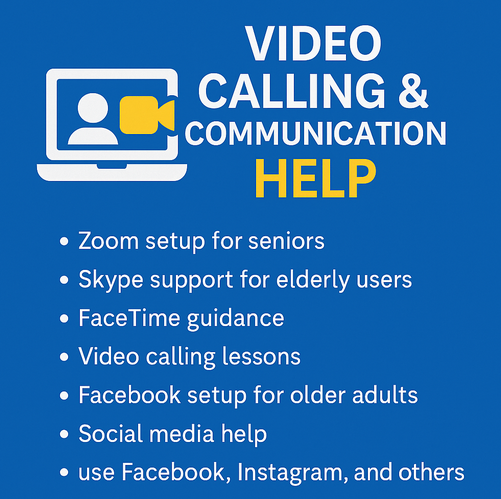
- Zoom setup for seniors — connect with family, friends, and healthcare providers
- Skype support for elderly users — simple international calling setup
- FaceTime guidance — learn video calls on iPhone or iPad
- Video calling lessons — build confidence with telehealth and family chats
- Facebook setup for older adults — get online and reconnect
- Social media help — use Facebook, Instagram, and others safely
We explain everything in plain English, take things slowly, and work on your device so nothing feels unfamiliar.
No judgment. No rushing. Just friendly, patient support.
Video calling doesn’t have to be confusing — we’ll make it simple, safe, and enjoyable.
📞 Call 0435 415 873

I started this service after seeing how many older Australians struggle with technology — not because they can’t learn it, but because no one takes the time to explain it properly. With more than 20 years’ experience in digital technology and online training, I wanted to create something patient, local, and genuinely helpful.